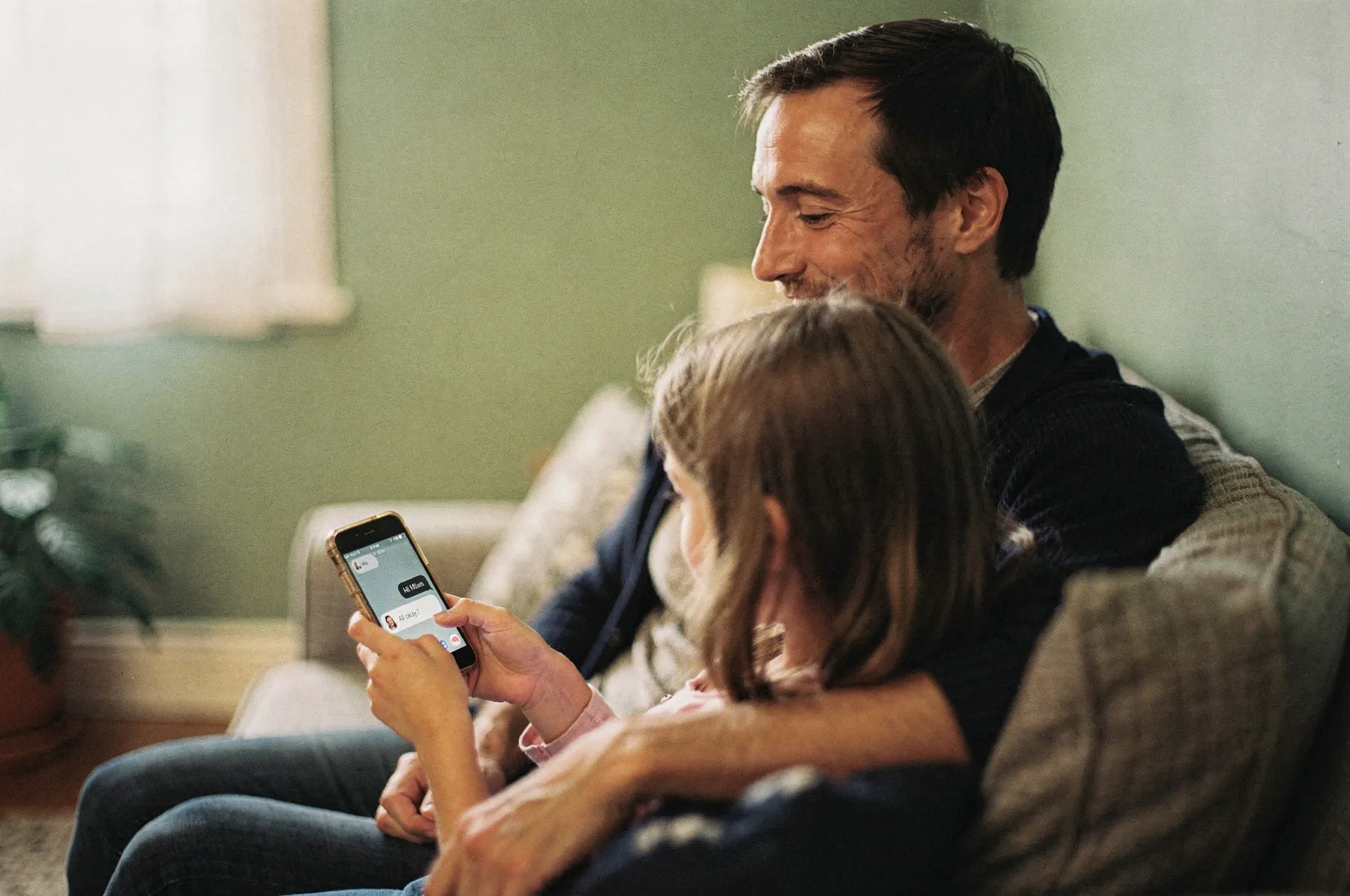
A safe messaging app for kids
Keep your child close to the people who love them.
Shoal is a messaging app for families. Your child talks only with the people you've approved — family and close friends — on your old phone or a family tablet. No strangers, no feeds, no open internet.
- iPhone
- Android
- Web browser
Set up in four steps
About ten minutes, start to finish.
-
Create your family
Start on your own phone. Get Shoal, sign up and name your family. You're its first admin.
-
Add your child
From your app, add them by name. No email, phone number or password. Safe defaults are already on.
-
Set up their phone
Install Shoal on the phone they'll use, sign in as yourself and choose "Set this up as a family device". They tap their name to start.
-
Add family and friends
Invite grandparents with a link. For a friend, you send a connection from your app and their parent accepts from theirs.
Two views of the same chat
They get a normal chat. You get the whole picture.
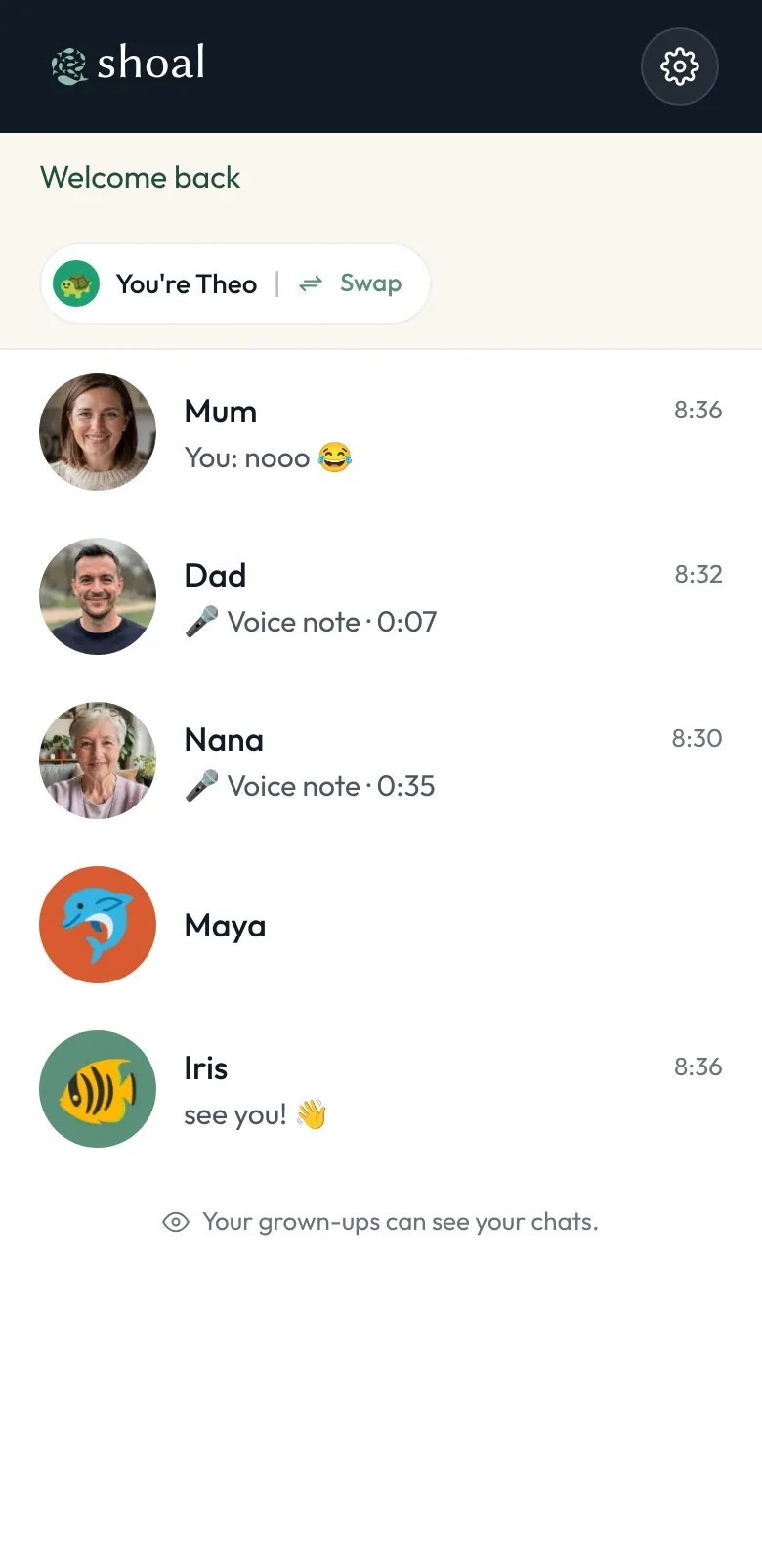
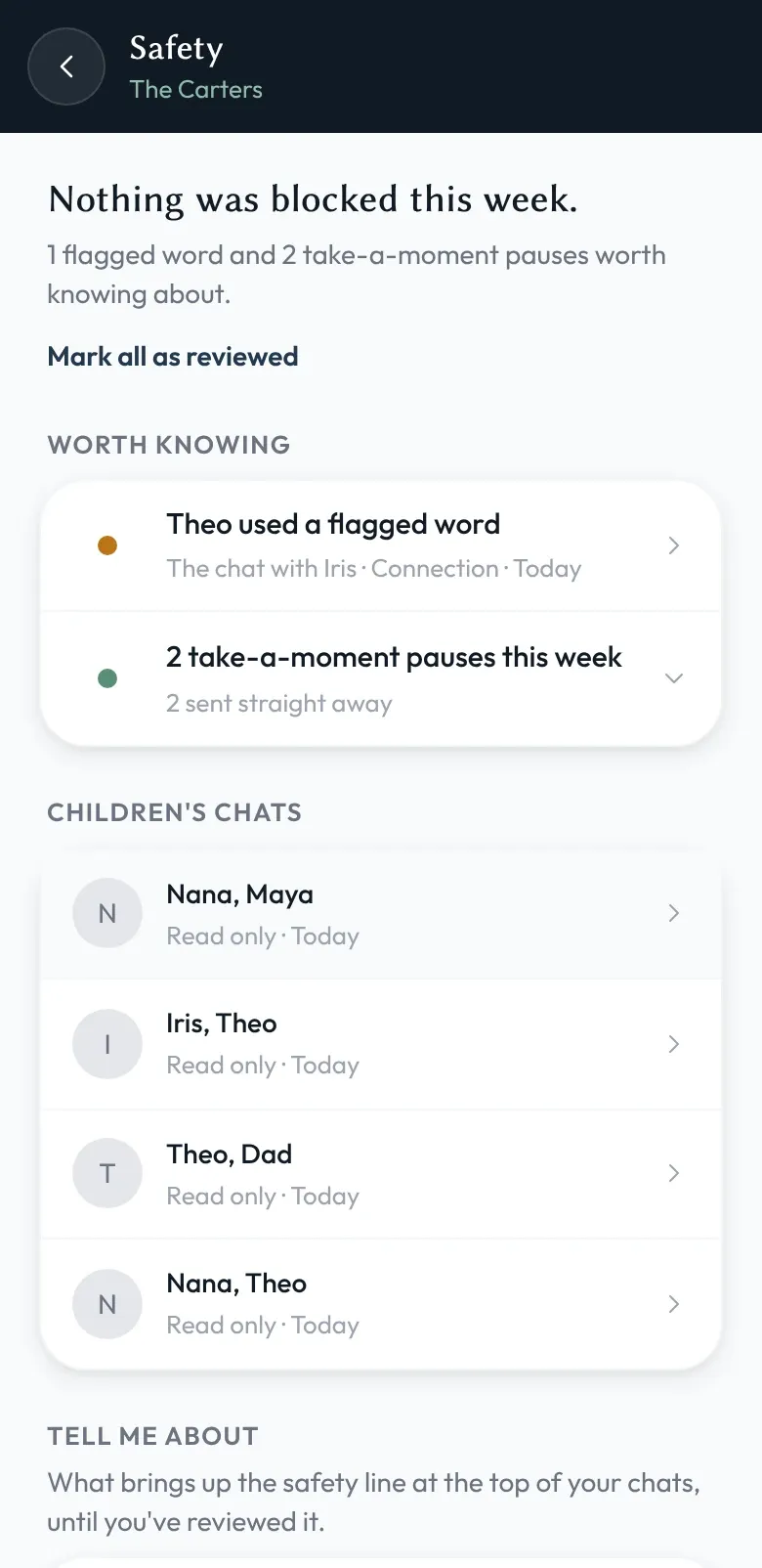
Your child sees a simple, friendly messenger with the people they love. You can read every conversation they're in, see anything your word rules flagged, and set when they can chat.
Family admins can read children's chats — that's how the safety features work. It's built in and visible, not a secret setting. How oversight works
See it working
Both views, in a minute.
Read what the video shows
- Theo, on the family phone: Theo's chats are with the people his family has approved: family, and a friend from school.
- Theo, on the family phone: He messages Iris, a friend from another family. Their parents connected them, so they can chat. No phone numbers.
- Theo, on the family phone: When he's done, Theo taps Swap, and the phone asks who's using it.
- Maya, on the family phone: Maya taps her name, and gets a layout for children still learning to read.
- Theo, at bedtime: At bedtime, chats go quiet until morning. Chat with Mum, who runs the family, stays open.
- Mum, on her phone: On Mum's phone, both children are quiet until 7am.
- Mum, on her phone: Safety lists every chat the children are in.
- Mum, on her phone: Mum can read Theo's chat with Iris. It's read-only, and Theo knows his grown-ups can see his chats.
- Mum, on her phone: She sets when each child can chat, and which words and links to check.
Three rules that change everything else
Safe by design, not by settings.
-
Only people you've approved
No discovery, no stranger DMs, no friend-of-a-friend creep. If they're not on the list, they can't get through.
-
Active hours, on from day one
7am–8pm on weekdays and 8am–9pm at weekends for every new child. Change them any time. No late-night buzzing.
-
Both families say yes
A friend from another family is a connection — agreed by a parent on each side, and visible to both.
A layout for each reading age
An interface that grows with your child.
Shoal isn't one app with a kids' mode bolted on. Choose a layout for each child: Reef, Cove or Ocean (we call them skins). The whole interface changes to suit them — what they see, what they can do, how much reading it asks of them — while everyone stays in the same conversations.
Families on Shoal
Whose conversations is Shoal for?
-
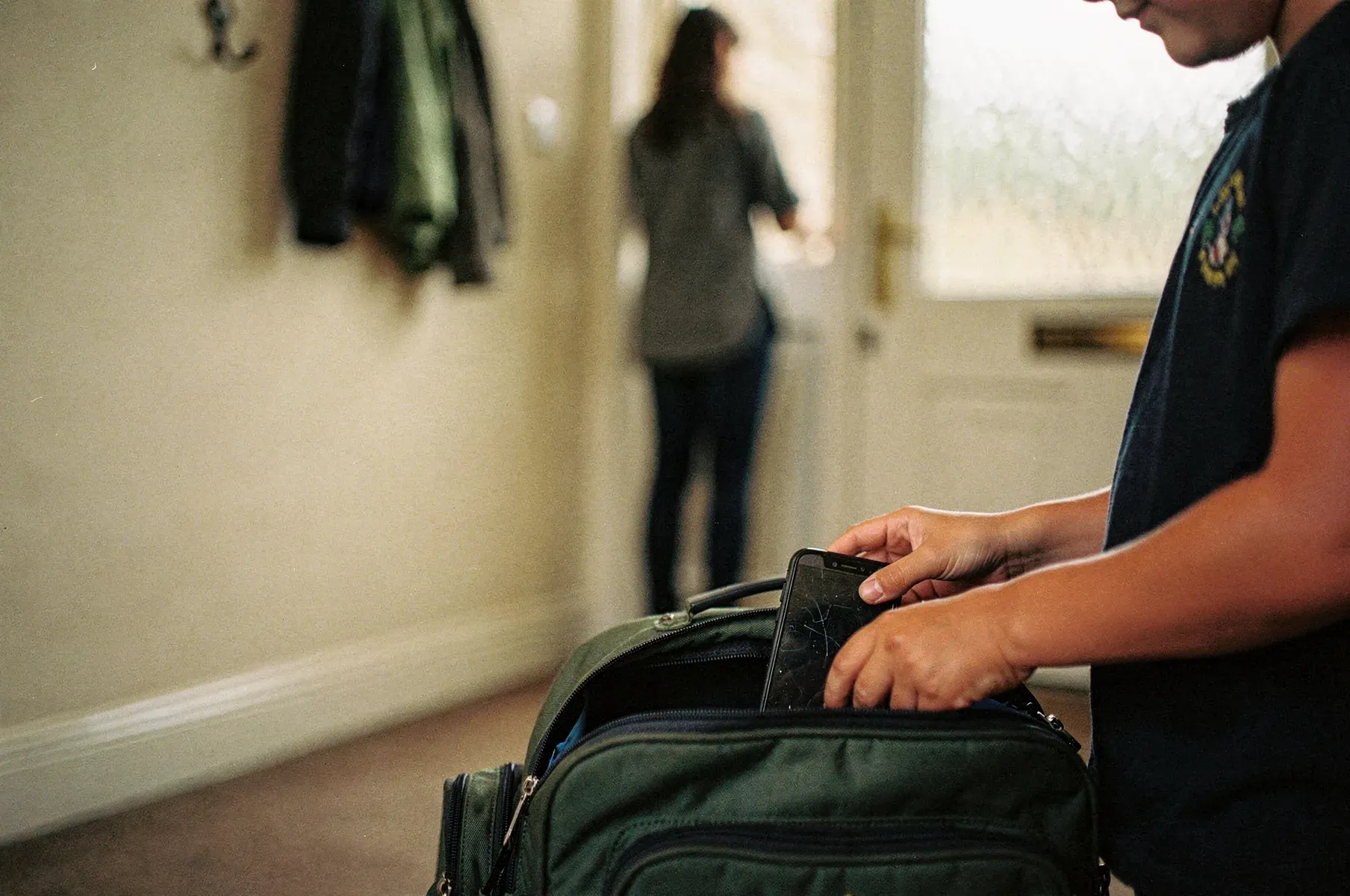
Delaying the smartphone
A smartphone-free childhood, without skipping the messaging
Turn an old phone into a safe way for your child to stay in touch with family and friends — no smartphone required.
See the story -

First independence
First steps of independence
When they start walking home alone, going to the corner shop, or spending an hour at home before you're back — they can reach you, and only you.
See the story -

Under-sevens
A first messaging app for young children
A safe, simple chat for the youngest member of the family — without an email address or a phone number.
See the story

Who's behind Shoal
“Shoal started as a pet project: a chat app allowing my own children to stay in touch with our broader family, it just got carried away.”
Max Whiteford, founder · father of three, with a background in product and software development. Our story
- Company
- SHOAL MESSAGING LTD, England & Wales · 17286024
- Data protection
- ICO registration ZC178426
- Your messages
- Encrypted in storage. Shoal staff can't read them. How
- New to us?
- We don't have a track record yet. How to judge us
Pricing
One price per family, not per child.
Free while Shoal is in beta. These are the prices after it. Families already using Shoal will be told well in advance before any charges begin.
See pricingSmall family
Up to 3 people · say, one child and their parents
£2.50 / month
Full family
Up to 10 adults and 10 children
£4 / month
Questions families ask
What age is Shoal for?
Shoal is built for the years before a first smartphone — from kids who can't read yet through to early teens. Rather than fix an age, you choose a skin that fits where your child is: Reef for children who can't read yet, Cove for children reading on their own, and Ocean for teens and grown-ups. A child can move between skins as they grow, and there's no enforced minimum.
Does my child need their own phone or a phone number?
No. Shoal has apps for iPhone and Android, and works in any web browser too — so a shared family tablet, an old phone with the SIM removed, or a laptop all work. Add your child by name from the app on your own phone, then set their device up as a family device and your child taps their own name. They don't need an account, a phone number or an email address. See how setup works.
Do my child's friends need Shoal too?
Yes — the friend's family also needs Shoal, and a parent on each side approves the connection from their own app. Children can't add anyone themselves, and there's no bridge to SMS or other apps. That's the trade-off for only talking to people you've approved.
Can Shoal staff read our messages?
No. Messages, names and pictures are encrypted on the sending device, and no code path exists today — no admin tool, support screen or server routine — that decrypts them, so we can't read them. Because Shoal holds the keys, a way to decrypt could be built; we haven't, and we'd say so on the security page before anything changed.
Is Shoal end-to-end encrypted?
No — and we'd rather tell you than let you assume. Messages are encrypted in storage and in transit, but family admins can read children's chats — that's how the safety features work — and that means Shoal holds the keys too. The security page explains exactly what is and isn't protected.
What happens when my child outgrows Shoal?
You cancel, or pause if there's a younger sibling who'll need it in a few years. Shoal is built for the years before a teenager wants their own real phone — we don't try to keep teens on a parental-oversight app forever.
Bring their friends
Invite your child's friends' families.
Your child can message a friend once both families are on Shoal and connected. Here's a message you can send to the class or club group.
Hi everyone! We've started using Shoal so our children can message family and the friends we've approved, on an old phone or a tablet, with no social media and no strangers. If your child would like to message ours, it's free while it's in beta: https://shoal.chat. Let me know once you've set up and I'll send you a link to connect our families.
Once they've set up, connect your families from Settings → Family → Connections. How Connections work
Bring your family together on Shoal.
Start on your own phone with the app for iPhone or Android, or in your browser. Your child's friends join when their parent connects with you.
Free during the beta · no card needed